Prompt Academy
Learn to create better AI content
A prompt is the description you give the AI. The clearer it is, the closer the first result lands, and the fewer tokens you spend getting there. Here is a simple way to write them, with real examples.
Two five-part frameworks
Use the first for images and video. Use the second whenever you ask an AI to write for you, for example a voiceover script.
Images and video
- 1
Subject · Who or what is it?
“A German Shepherd”
- 2
Setting · Where and when?
“on a rocky mountain overlook at sunrise”
- 3
Action · What is happening? For video, how does the camera move?
“standing alert as mist drifts below; the camera slowly rises”
- 4
Style · What should it look like?
“photorealistic, cinematic, golden light, shallow depth of field”
- 5
Output · Shape, length, format
“vertical 9:16, 5-second clip”
Writing with AI
- 1
Role · Who should the AI be?
“You are a friendly fitness coach”
- 2
Task · What should it do?
“write a 30-second voiceover script”
- 3
Context · What does it need to know?
“for beginners starting home workouts”
- 4
Format · How should the answer look?
“three short tips, one sentence each”
- 5
Constraints · What must it avoid or keep to?
“no jargon, under 80 words”
Before and after
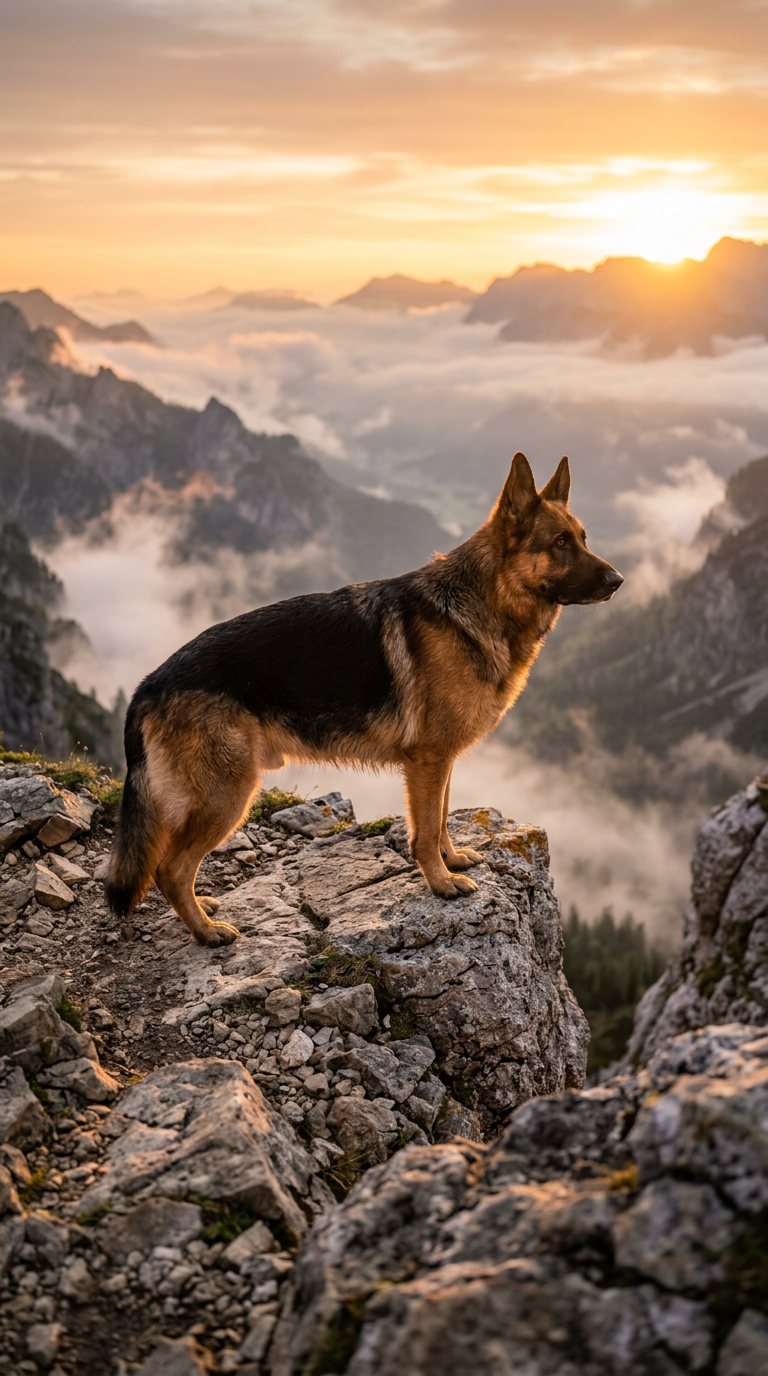
Image prompt
Basic
A dog in the mountains.
Improved
A photorealistic German Shepherd standing on a rocky mountain overlook at sunrise, golden sunlight illuminating its fur, mist drifting through the valley below, cinematic photography, realistic textures, shallow depth of field, vertical 9:16 composition.
- Names the breed, place and time, so the AI does not have to guess.
- Describes the light and atmosphere, which set the mood.
- Asks for a style and the 9:16 shape up front, so nothing needs cropping.
Video prompt
Basic
A waterfall.
Improved
A cinematic aerial view of a powerful waterfall cascading into a turquoise mountain lake at sunrise. The camera slowly moves forward toward the waterfall while morning mist drifts across the water. Natural movement, realistic lighting, smooth camera motion.
- Movement: the water cascades and the mist drifts, so the clip is alive.
- Camera direction: a slow push forward gives the shot a purpose.
- Lighting and time of day: sunrise sets the colours and mood.
- Pick the length and shape on the screen; this one is 5 seconds, vertical, on Kling 2.5.
Both pictures above are the real results of the improved prompts, made on this site.
Lessons
Write clear prompts
Say what is in the frame before how it looks. Use concrete words (a red bicycle, wet cobblestones) instead of vague ones (nice, cool, amazing).
Choose the right model
Drafts and everyday posts: FLUX Schnell. Detail, products or a reference image: Nano Banana 2 / Gemini. Everyday clips: Kling 2.5. Sound and cinema: Seedance 2.5 or H3 Max. Long 1080p clips up to 30 seconds: Kling 4.0.
Pick the right shape
Vertical 9:16 for Reels, Shorts, TikTok and Stories. Square 1:1 for feed posts. Landscape 16:9 for YouTube and websites. Choosing it up front saves cropping later.
Choose a video length
Start at 5 seconds to check the scene works. Go longer only once you like it: longer clips cost more tokens.
Improve a result
If it is close, change one thing in the prompt at a time: the light, the camera move, the style. Changing everything at once makes it hard to learn what helped.
Avoid common mistakes
Too short (a waterfall), contradictory (bright night scene), or packed with ten subjects. Leave out text you want written in the image unless it is short.
Know when to regenerate
Regenerate when the idea is right but the details are off. Rewrite the prompt when the result misses the idea entirely; running the same prompt again rarely fixes that.
Save and reuse what works
Your prompts stay with each creation in My Creations. Copy a good one as the starting point for the next, and keep a note of words that work for your style.
See more real prompts and their results in Explore.
Save tokens
Create smarter. Spend fewer tokens.
Tokens are what you spend on creations; one balance covers every tool. Different models and lengths cost different amounts because they cost us different amounts to run, and every token lasts a full year.
- 1
Check the price first
Every tool shows the exact token charge on the button before you press it, and it updates as you change settings. What you see is what you pay.
- 2
Test cheap, finish premium
Try an idea on FLUX Schnell (1 token) and only make the final version on Nano Banana 2 / Gemini (20).
- 3
Start with short clips
A 5-second Kling 2.5 clip is 88 tokens; 10 seconds is 175. Get the scene right short, then go long.
- 4
Write the whole prompt the first time
Subject, setting, action, style and shape, all in one go. A complete prompt gets a usable result sooner than several vague tries.
- 5
Reuse what works
Copy prompts from Explore, or from your own My Creations, and change one thing at a time instead of starting over.
- 6
Failures cost nothing
Tokens are held, not spent, while a creation is made. If it fails or times out, every token goes back to your wallet automatically.
Not sure which model fits? Compare every model and its price.